Want to know how some guy from Austria ended up with an FCX? Great, please continue reading.
Introduction
Let’s start with talking about myself, because that’s the type of ego-centric icebreaking I enjoy.
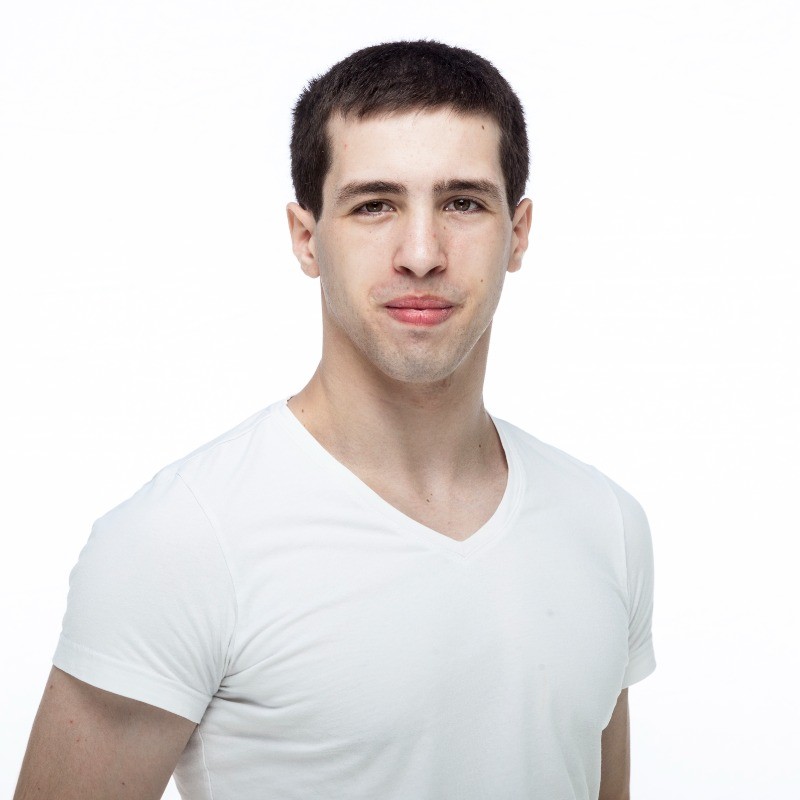
My name is Kevin Guenay, and I’m, according to my mail signature, an IT System Engineer at an Austrian MSP. I’ve been working in IT since 2009, and with a focus on networking and security since 2020. It has been my goal since my first real job as a sysadmin to specialise in networking and security. But I didn’t have the knowledge or credentials until 2020, at which point I took a chance on a job posting and got accepted. There were a lot of fundamental things I didn’t know at the time (for example, only after accidentally building a routing/transfer network during a project did I learn what that is), and I simply spent months, and now years, studying, and I can consider myself somewhat capable nowadays.
At work, I got my hands in almost every aspect of our unit, including switching, Wi-Fi, NAC, firewalling, automation, endpoint protection, and more. I’m also our resident FortiPerson, which shouldn’t come as a surprise considering what I’m writing.
Impetus and organization
During my yearly performance review in 2024 my unit manager asked me if Fortinet’s expert certification is something I would consider doing, and I declined, because I didn’t work with most products the FCX covers (I only worked regularly with FGT, FMG, FAZ, and EMS) and some technologies you need to know were also things I wasn’t that familiar with (anything having to do with IPv6 for example).
A month after the review, I attended Accelerate 2024 in Las Vegas, and something changed after that regarding the FCX idea. After thinking it over for some time, I decided that I wanted to pursue it. It was clear from the start that it would be an ego thing more than anything, but I wanted to try it. I said to myself, “If I don’t pass, at least I learned something, so it’s not time wasted.”
I brought the topic up again at work and created a short presentation to show how it would benefit the company (mainly partner specializations by passing a few exams along the way) to get some buy-in. I got the OK, organized some additional hardware (Fortinet gifted me two 424E FortiSwitches, a 231K FortiAP, and my company gave me an additional laptop plus two 70F FortiGates) and went to it.
Oh, and I cut down my gym sessions from five days a week to four, which, if you know me, sounds insane, but that gave me more time to study.

Studying
The first thing I did was look at the FCX Public Handbook to make a list of all the Fortinet products I need to get experience with and how I rank my current experience with them. The ones I already knew somewhat well went to the bottom of my list, and the ones I didn’t work with before rose to the top, which were most of the products.
For each product, I checked the Fortinet Training Institute to see what training is available, and luckily, most products had some form of official training (FortiExtender was the only one where I had to fully rely on the administration guide). I went through each study guide,
checked the public documentation for additional information, wrote down things I want to lab later, and spent an average of three weeks with each product to get familiar with each.
Quite late, I also used Andrew’s FCX study checker spreadsheet (see the “Study Resources” section of this site) to document my progress in each category and technology that I need to know.
Getting to know each product and spending some time with it showed what I didn’t know (the adage “The more you know, the more you realize you don’t know” holds) and where I need to spend more time. FortiWeb and FortiADC were two things that employed technologies that I didn’t use at all before (WAF features and Global Server Load Balancing, for example). Spending hours on what others would call simple things wasn’t uncommon here.
Long before all this, I started being active on /r/fortinet on Reddit, reading threads and helping where I could, and I also joined the associated Discord channel, where I did much the same. I easily spent about an hour a day with these two things in addition to my regular studying, and it helped tremendously, especially with the troubleshooting tasks on the practical exam.
It wasn’t new for me to spend lots of time studying, but there were parts during my almost year-long journey where I was afraid of studying, because it got so overwhelming. I didn’t let that deter me from sitting down and getting to it, since once I got deep into something, I didn’t have time to think about anything else.
I want to mention that almost all my time spent studying was done outside of work hours. I’m usually very busy at work, so making time for studying wasn’t in the cards, and since it wasn’t something mandated by the company, I didn’t feel like setting aside time for this was okay (my team lead thought differently and always told me to study during work as well, but I barely did).
Overall, I spent 911.5 hours studying in the span of almost a year, with only 52.5 hours during work. This is the official number that I tracked using our internal tool, but this doesn’t include all the time on Reddit, Discord, or randomly reading documentation, so the actual number is much higher.
I had to take some breaks along the way with Accelerate 2025 and the Xperts Summit EMEA 2025 (where I got 3rd place in the Ultimate Fabric Challenge, so I’m going to the finals in Las Vegas next year), but for the most part, it was just studying, including during the three-week vacation I had in January.
Labbing
My lab experience was probably very different from most people preparing for the FCX. I didn’t make any grand topologies where everything is interconnected, asked for evaluation licenses or used dedicated hardware for virtualization. My virtualization host was my personal PC that I upgraded from 32GB of RAM to 64GB, I used trial licenses where possible (which covers a surprisingly big range of things you need to know) and relied on the Fortinet-provided Hands-on-Labs (HOL) and FortiDemo resources to test things and get hands-on experience.
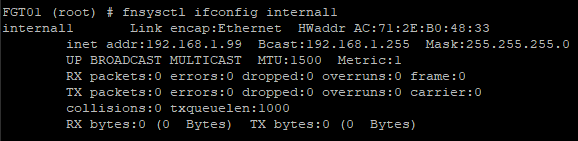
Here is a picture of my SD-WAN lab to show how I rolled.

When labbing, I tended to focus on individual things, not trying to make them work with each other. I imagined that I could just wing the interconnected problems in the exam, and focusing on knowing the parts and features was more important to me.
During labbing, I focused both on understanding the things I configure, not just making it work, but also on how to debug and troubleshoot everything, because this strengthens your understanding. Following a lab guide is easy after all, but understanding the why and how is a different matter. This approach also showed me how much the IPS engine does in FortiOS, for example (did you know it handles the static URL filter that you configure in a web filter profile?).
Hands-on-Labs and FortiDemo
I want to stress how good the HOL and FortiDemo resources are. There are so many things you can cover with them that evaluation licenses are barely necessary. You got FortiSIEM, FortiNAC, FortiSOAR, FortiEDR, FortiSandbox, etc., and everything is fully licensed and ready to use. I don’t know how often I spun up the SD-WAN Deep Dive lab to test configurations, even if I could build it myself, because it was just so convenient.
Everyone should really take a look at these two things before deciding to make their own lab, because you might just save yourself a lot of time. You can access them via the Fortinet Developer Network, or via https://demo.fortinet.com once you have obtained Fortinet certifications (FCP unlocks some labs, FCSS unlocks more, FCX unlocks most of the rest).
The written exam
After nine months of studying, I felt that I was ready to take on the written exam after putting in at least a 75% in each entry on the FCX study checker spreadsheet.
The written exam was a simple Pearson online exam, and I’ve done lots of those before, but it was still a humbling experience. You spend months studying and preparing for this thing, and you think that you will surely know everything that is on the exam in some capacity, but
then you get questions where you just have to say, “I have never heard of this before”. Not a good feeling, but it is what it is.
A colleague once told me, “You can’t know everything.”, and while that is true, it is still annoying when confronted with that in reality.
I did pass the written exam, and it gave me renewed motivation that I can do this, and since I passed, I could go for the FCX Immersion training.
FCX Immersion
Best advice up front: Do Immersion.
The FCX Immersion course is an official course offered by Fortinet and acts as preparation for the practical exam, and the experience you gain doing it is well worth the cost. It is not a practice exam, and I don’t recommend thinking of it as such. It’s a way to get to know how tasks are structured, what’s important, and the complexity you can expect, and for that, it is fantastic.
Except for one task in Immersion, I was familiar with everything that was covered, so I knew that I was on the right track for the practical exam. My performance in Immersion wasn’t the best, but I didn’t see that as important. What was important was the knowledge I gained.
After Immersion, I was itching for the practical exam, and I scheduled it for two months later, the 6th of October.
If you are interested in taking the immersion speak to your local Fortinet rep for details.

The practical exam
My start time was 07:30 because I knew it was going to be a long day, and I wanted to get it over with and have some time after to unwind. I got up at 05:30, and after my morning routine, I got everything set up for the exam by 07:15. The check-in process was relatively smooth, and I started my exam after the proctor accidentally messed up by recording the wrong screen, and we had to do parts of the check-in again, which totally wasn’t adding to my stressed-out mind.
After everything was in order, I started with my five-hour session, which is mainly about configuring things. I checked the 15 task names, didn’t see anything I felt should be pushed back, and started with the first task.
You are always being told that time management is important for expert-level practical exams, and this is no different. You got 20 minutes per task in the first session, so you can’t get stuck on something. I was lucky, and almost every task I got was about things I knew by heart, though one gave me a few issues due to version differences, but you have the documentation to fall back on in the exam, and after consulting it real quick, I was able to finish that one, too.
I finished my last task with about an hour remaining on the clock, spent 40 minutes re-checking my configuration, writing some notes, and ended the session with 20 minutes remaining. At that point, I already felt a bit dizzy from the intense concentration, so the one-hour break was sorely needed.
I used the break for lunch and cleared my head by walking around the house and listening to music. The second session was, from what I’ve heard, mainly about troubleshooting, and I was very confident that this would be the easy part of the exam.
As it turns out, I was correct. The second session is four hours long, also has 15 tasks, and I “finished” my last task after two hours. I put finished in quotes, because there was one objective in a task that I had no idea how to configure. I simply never heard of how to do this, didn’t find anything in the documentation that alluded to a solution, and even after spending roughly 40 minutes scouring the options on the CLI, I didn’t find the answer, so I configured what I felt was right. Due to my score report, I know that one of the things I configured was correct, but I still don’t know what the actual answer is, and I guess that will stay a mystery.
The second session ended with 1 hour and 20 minutes remaining, and I felt that I did everything I could. All those hours spent on Reddit and Discord were a massive help because reading about problems there gave me the right mindset for the second session.
I thought that after ending the exam, everything would be smooth sailing, but boy, was I wrong.
The Aftermath
One thing I can say is that I slept incredibly well the day I had my exam. I was exhausted, but I felt like some weight had been taken off my shoulders, because now I just have to wait.
What I didn’t expect was that I would mentally go over the exam, each task, and each objective, starting the next day. The exam didn’t let me go, and as I thought about it, I realized that there are things I could and should have done differently and things I did wrong. Those thoughts consumed me, especially because I didn’t know if they would invalidate configurations, since I don’t know how tasks are validated.
It got so bad that at one point, I woke up from a nightmare in which I failed.
Getting your result can take up to 15 business days, and I was not looking forward to mentally mulling over the exam for that long.
On the 14th of October, I was at a customer’s office, configuring some hardware for their new datacenter. While configuring BGP, I got an Outlook pop-up with the subject “Official FCX communication”. I immediately walked away from the desk and told the customer that an email had just arrived. The customer knew that I was waiting for the result and asked if it was the email with my result, which I confirmed. I asked him if he could read it for me, because I was too afraid to do it myself. I handed him my unlocked phone, and after a short moment, he simply said, “Congratulations”.
In that moment, that word meant so much to me, and I could hardly believe it until I saw the email with my own eyes. I excused myself and started calling people (my parents, my team lead, Fortinet SEs, and a few more).
After spending about 20 minutes spreading the good news, I went back to work and later celebrated by inviting my family to dinner.
It’s hard to describe in retrospect how freeing it is when a journey that took almost a year and tremendous stress ended on a positive note, but I hope you, dear reader, can also experience this feeling, or maybe you already did.
For Others
So what can I give as advice to others?
● If you feel like the exam is too daunting due to the products covered, don’t be. As stated, I barely knew half the products needed, and everything can be learned given enough time.
● You already started studying. Every moment you are configuring one of the products or reading about a technology that is required is a moment that prepares you for the exam.
● Go through every Fortinet training study guide you can find that is relevant. Lots of things that are on the exams are somewhere in those guides.
● Use the HOL and FortiDemo resources extensively. They reduce the barrier to entry and cover a wide variety of topics or products that you might not have easy access to.
● Engage with the community. Their problems and the discussions can lead you to resources that help with the exams.
What’s next?
I told myself that after all this is over, I’d take a bit of a study sabbatical, and maybe a week off. I haven’t managed to do either so far, but I am trying quite hard not to spend time outside of work with technology (I haven’t taken out my lab hardware since the day before the practical!). One of the first things I did after the practical exam was to buy two video games, because I felt I could dedicate some time to that hobby again and not feel bad about it (the last time I played a game was eight months ago by that point).
During my journey, I got the idea of giving some stuff back to the community in terms of the knowledge I’ve gained, which means I’ll start blogging about network and security stuff in the future.
I am currently spending my free time playing games, but I’m already looking forward to diving into technical things again when not working.
If you got this far, I thank you greatly.
Note from the Editor:
If you would like to hear more from Kevin in the future, you can follow him on his LinkedIn account:
https://www.linkedin.com/in/kevin-guenay-8973a4365/

 FCX Study Group
Leave a comment